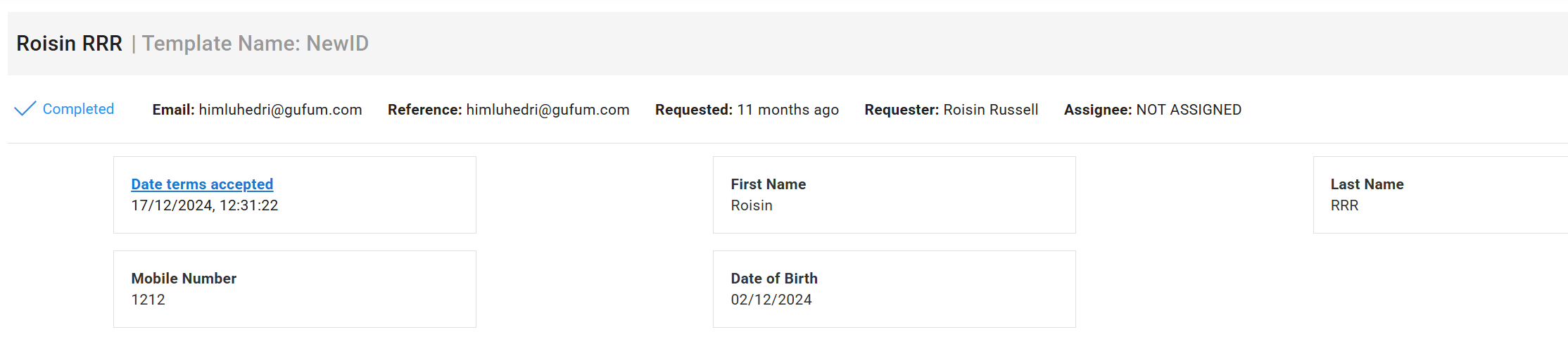
You can include a T&C document to be accepted by profile applicants any time they respond to a data request.
Step 1.
Create the T&C document with your custom terms and save as a PDF. (If you would like an example of common templates used contact PlanetVerify directly)
Upload the terms to your PlanetVerify dashboard as follows.
1- Go to Team Settings and click Terms/Agreements
2- Click Add New and enter the name of the terms, i.e. General T&C
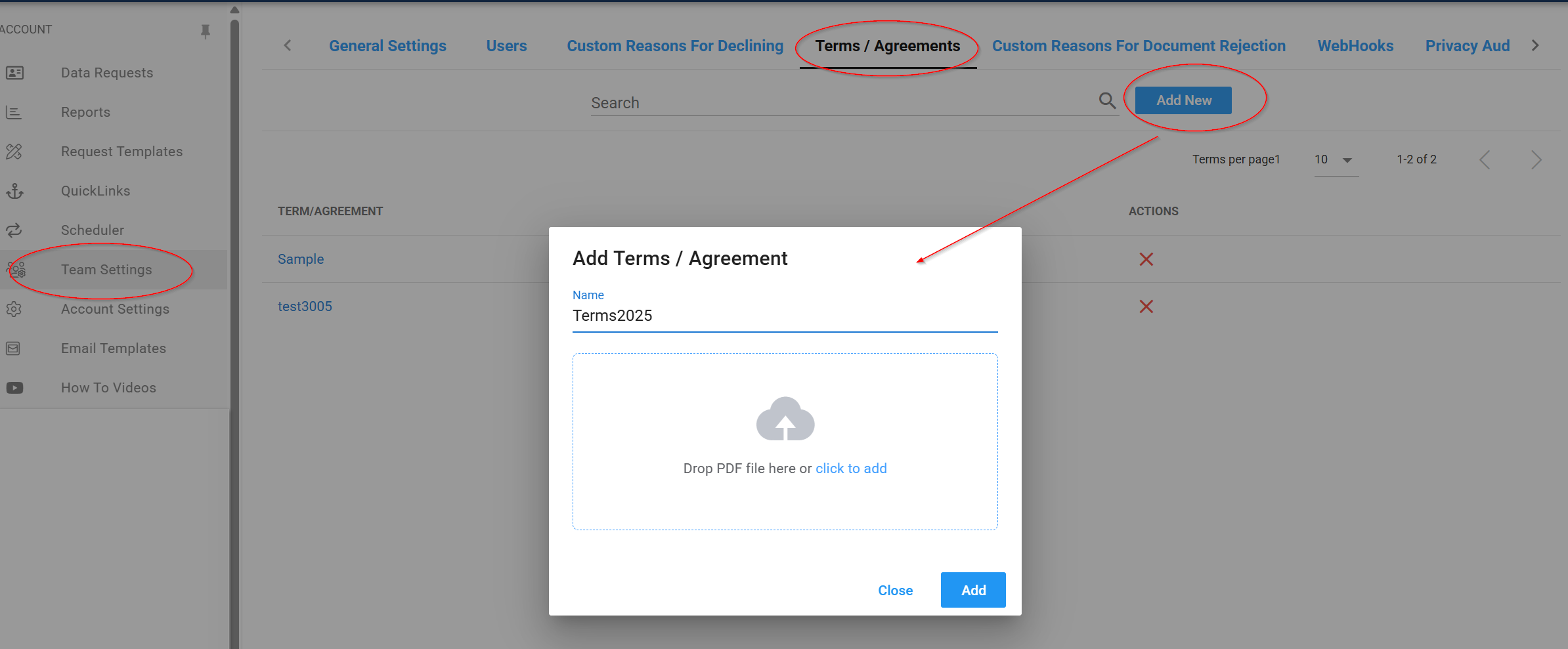
3- Drag or upload the document and then click Add
4- You should see your terms now shown in the list- if you need to remove the document use the red X.
Step 2.
Add any terms to the appropriate data template
1- Go to Profile Templates
2- Select the template you wish to add terms to
3- Select Options
4- Go to the Included terms (optional) field and use the drop down arrow to select the T&C you have added to the dashboard in Step 1.
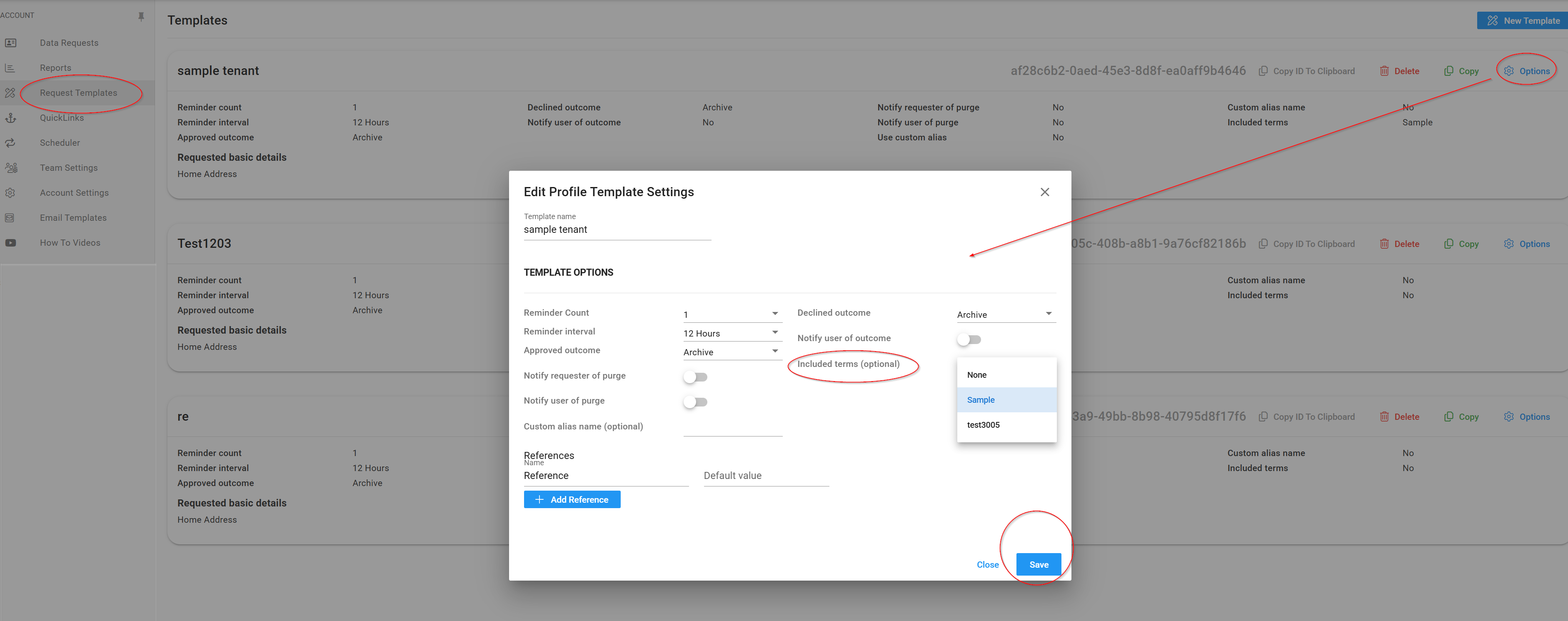
5-Click Save to update the template
Now any applicants that receive a data request using this template will be obliged to accept these terms before proceeding.
When you view any completed profile you will be able to confirm they have accepted terms and when they were accepted.