We are delighted to introduce a new AI-powered search assistant on the dashboard.
This is a custom feature enabled for your team, so if you are interested in using this please get in touch at info@planetverify.com.
The AI Assistant button will become active once you have selected at least one profile. If you do not see the button even after selecting one or more profiles, this is likely because it was not yet activated for your account. Contact us for more info.
To start- select one or more profiles from the Data Requests page. You can select all profiles on the page if necessary. The AI Assistant button will now become active.
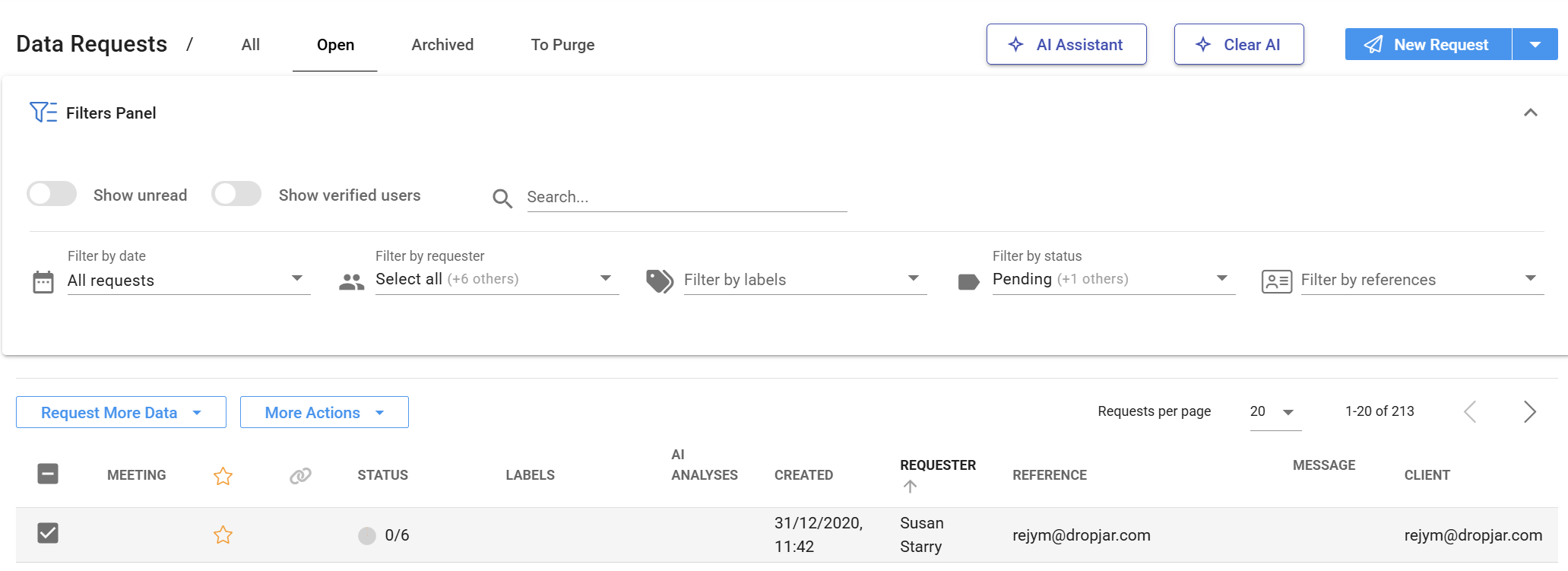
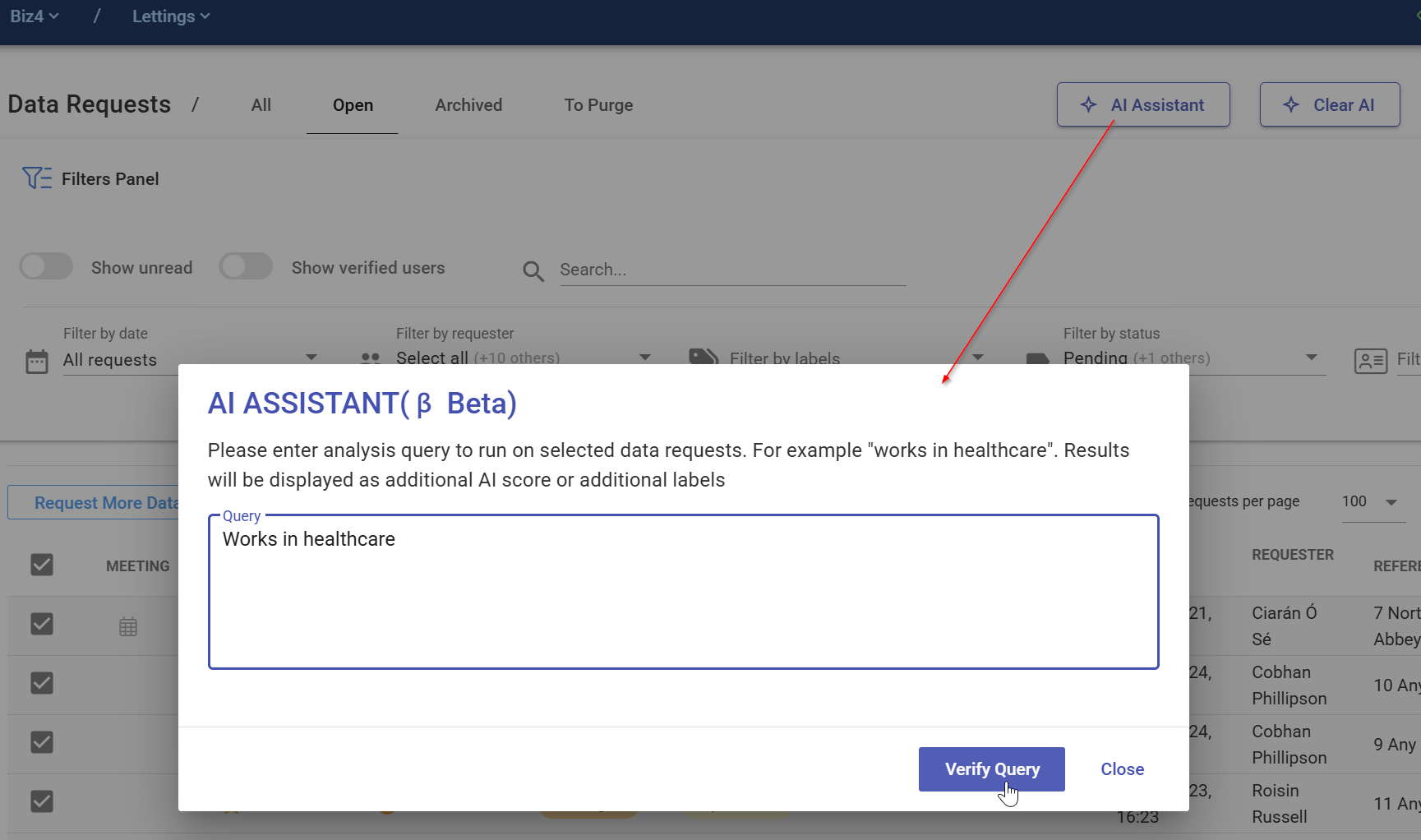
Enter your query to run on the selected data requests. For example "works in healthcare". Then click Verify Query.
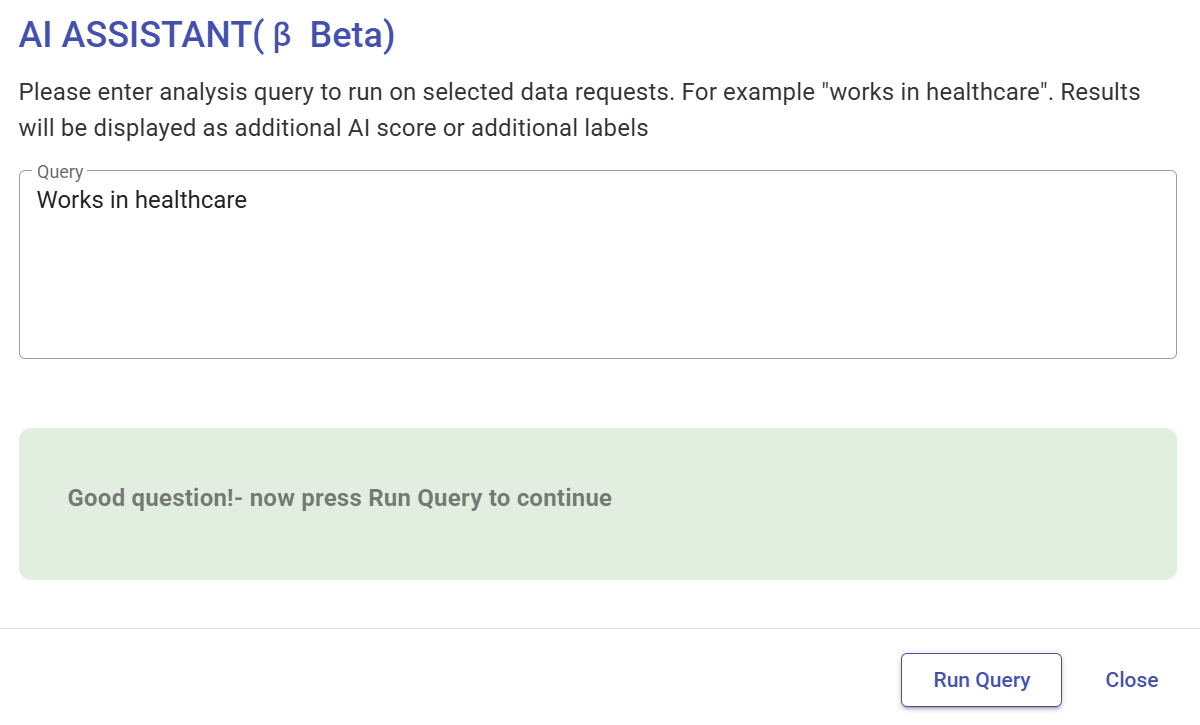
Now click Run Query once your question is verified.
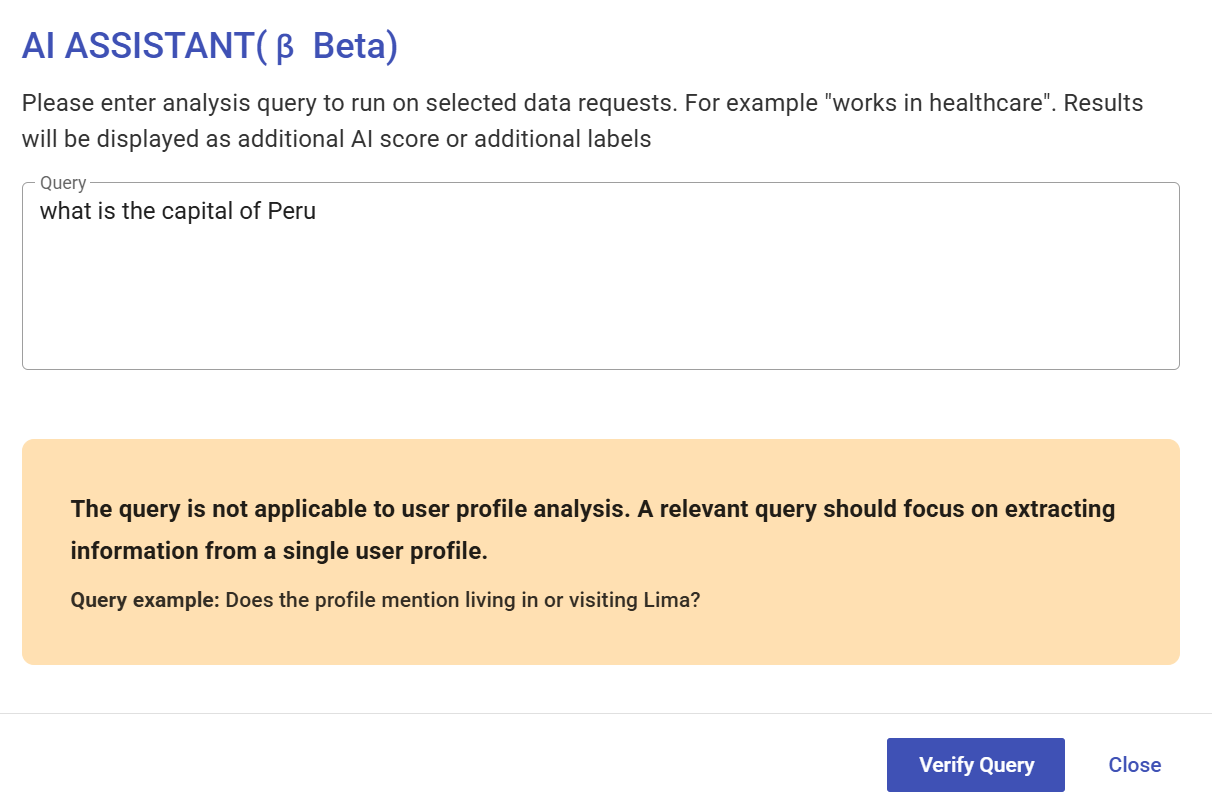
If your question is not accepted you will be asked to try rephrasing it.
Once you have a verified query, you will see below screen.
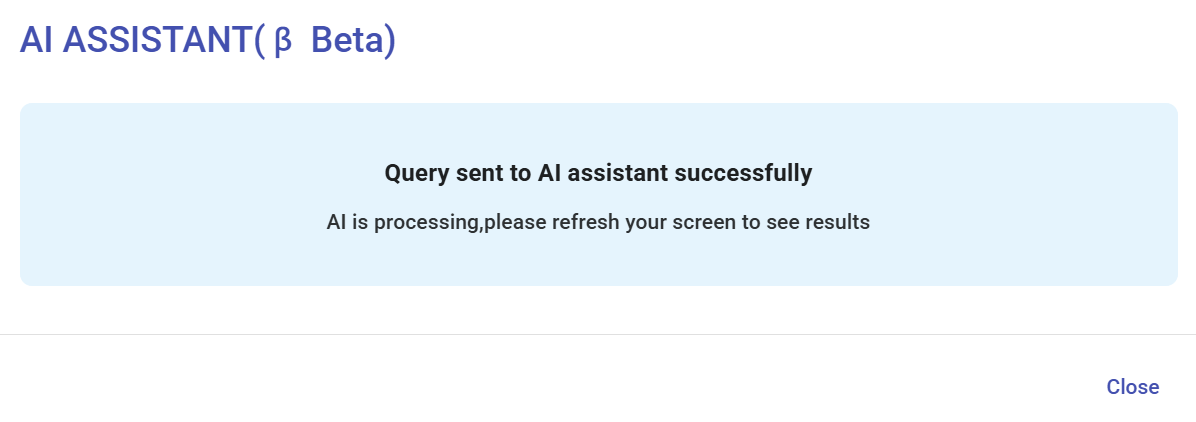
Click Close to exit the dialog.
You will see the AI Processing label as the query is being processed on the selected profiles.
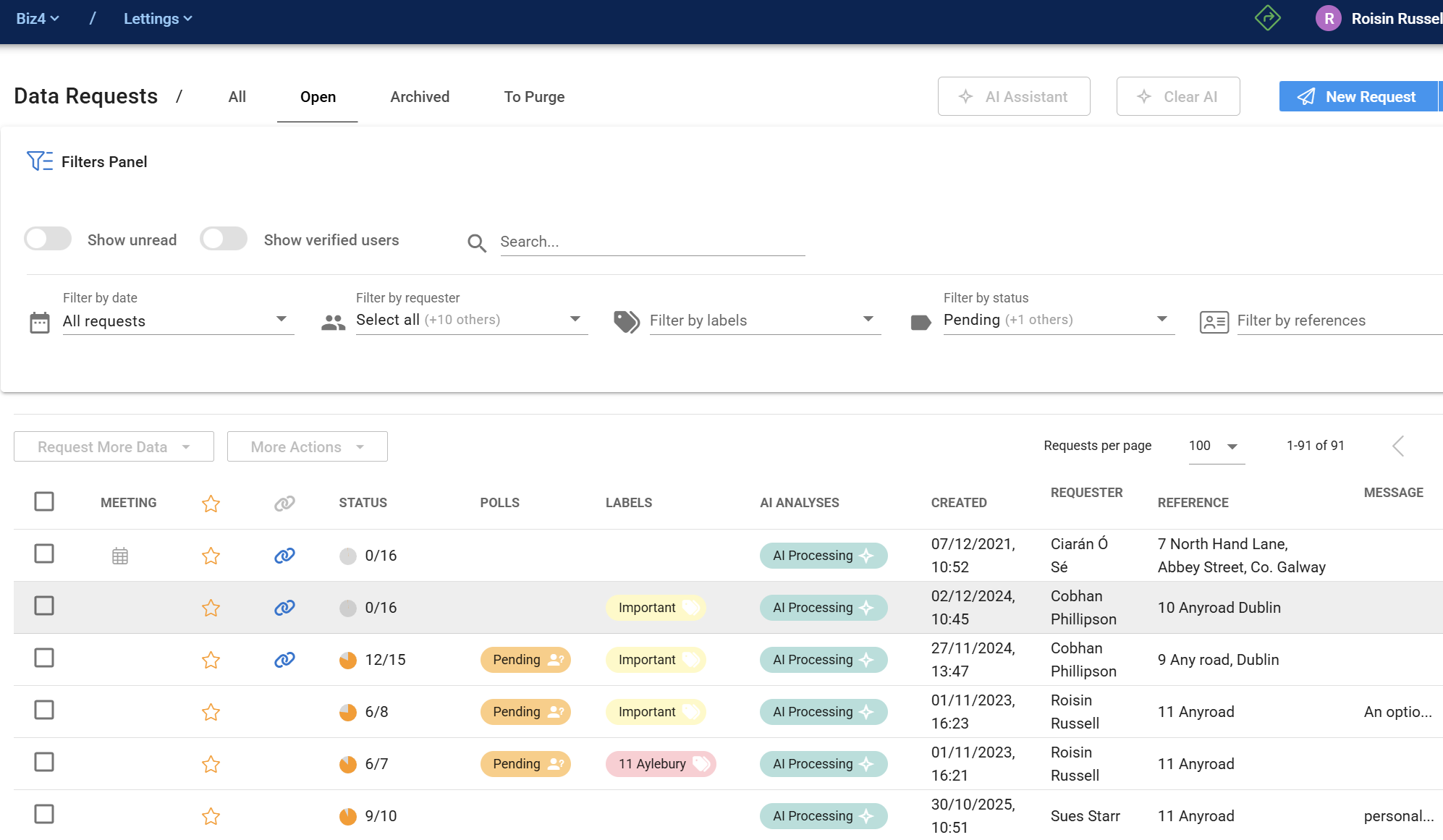
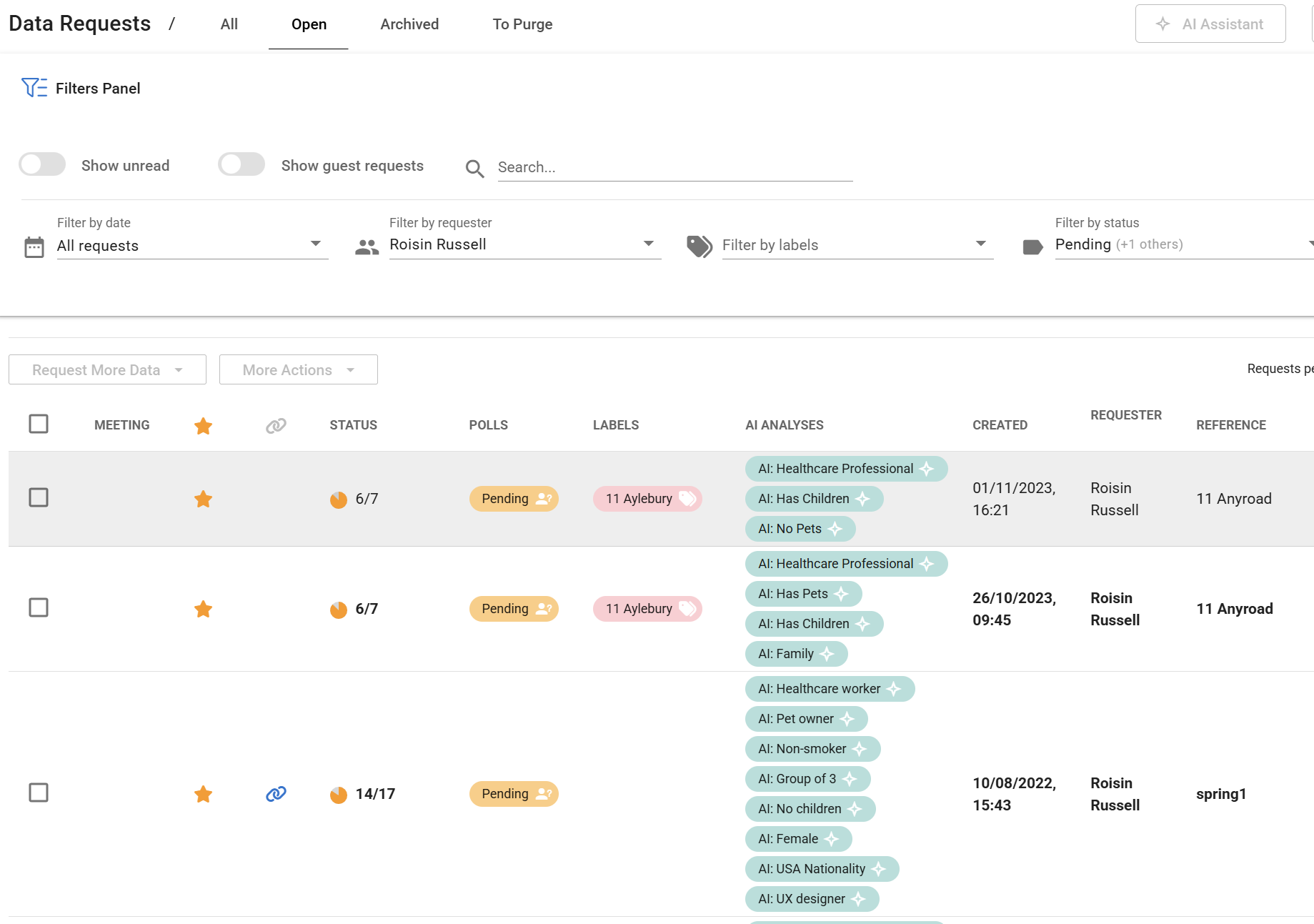
Now refresh the screen. 
Results will be displayed as additional AI score or additional labels.
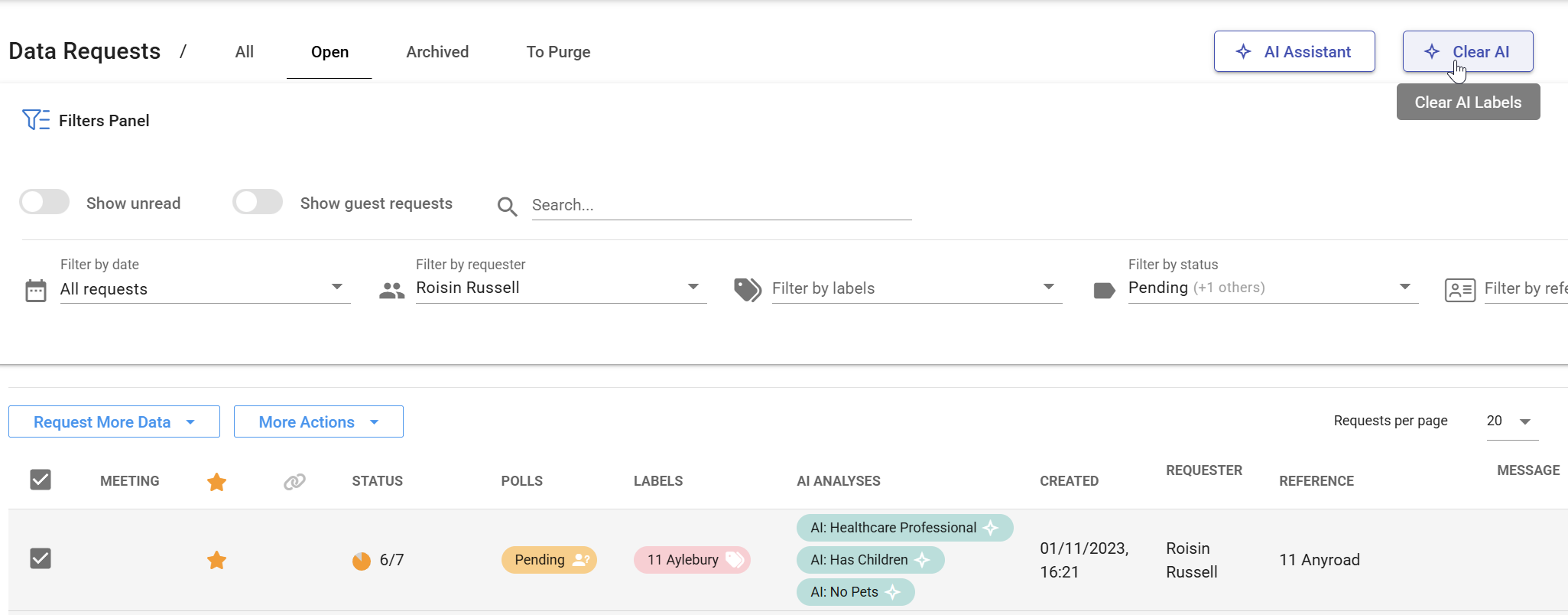
You can select profiles and then use the Clear AI button to remove these labels if you wish to use another query.
Note that all data is restricted to the dashboard interface and there is no external communication to the profile or another system.
FAQ
Q. By using this search feature, is the profile data being shared with any service or third party outside of the PlanetVerify system?
A. No, data is not shared but processing is carried out under GDPR.
Q. Is the data used to train another model?
A. No Model Training: The prompts you send, the data you analyze (like your users' PII), and the responses you get back are not used to train Google's general-purpose models (like Gemini).
